
-
Software and Teaching Help Desk
Rotation.org, where Sunday Software donated a bunch of its software titles for free downloading, has a HELP DESK where you can get answers to technical and teaching questions related to our software.
Go to Rotation.org’s Software and Teaching Tech Help Desk at https://www.rotation.org/topic/software-and-teaching-tech-help-desk-questions-asked-and-answered-here -
About Sunday Software Support
Sunday Software Support is the “heir” to sundaysoftware.com’s support content and misc articles and content from our former site. The business and sales side of Sundaysoftware.com ran for 24 years and closed its doors several years ago.

18 of Sunday Software’s Bible software programs for Sunday School were donated to http://www.rotation.org and can now be downloaded for free by their supporting members. Those free downloads also include our final updated versions of each program’s teaching guide and tech tips. Lesson plans that use our software have also been posted to Rotation.org’s Lesson Forums (by Bible story). General advice about teaching with software & computers can also be found at Rotation.org in the “Workshop how-to” forums.
If the support helps at this “heir” site don’t solve your problem, you can email Neil MacQueen (Sunday Software) at neilmacqueen@gmail.com
Begin with my “GENERAL SUPPORT TIPS” posting as it solves many common problems encountered with a variety of programs we’ve had in our catalog.
I’ve donated my guides and tech notes for each of our software programs to Rotation.org along with 24 of our programs! Go to http://www.rotation.org/pages/software
-
Teaching and Creating with ChatGPT in Sunday School
In 2023, Rev. Neil MacQueen began using AI tools like ChatGPT and Image Creator in his webmaster and content creation and management work at Rotation.org. In 2025, he began sharing how he was using AI with the hope of encouraging others to begin their exploration with these terrific new tools –especially with kids in the classroom.

Neil has posted the following five topics at Rotation.org describing his use and explorations of AI tools -especially as they relate to being used by kids in the classroom.
Using ChatGPT’s “Voice Mode” to Tell and Discuss a Bible Story –and Quiz Your Students!
Using ChatGPT to Help Create and Improve Sunday School Lesson Plans
Neil MacQueen is known for exploring creative teaching methods for Sunday School. In 1991, he began experimenting with computers in his Sunday School. That same year, he helped create the Workshop Rotation Model –a different way to organize Sunday School that uses many different approaches, including the use of technology. Neil is especially interested in how kids themselves can use tech in the classroom to increase their engagement, learn, and express their understanding.
In his work with Sunday Software Inc., Neil created and 18 different interactive Bible software programs for kids. He now serves as the webmaster and lead writer at Rotation.org, a website dedicated to creative teaching and the Rotation Model.
In 2023, Neil began using AI tools like ChatGPT and Image Creator in his work at Rotation.org. In 2025, he began sharing how he was using AI with the hope of encouraging others to begin their exploration of these terrific new tools.
Neil is a Presbyterian minister (PCUSA) specializing in Christian education and creative resources. He is an internationally recognized expert in the Workshop Rotation Model and the use of technology in Sunday School. A graduate of Louisville Presbyterian Theological Seminary and The Ohio State University, Neil had dedicated his life to the development and support of creative approaches to attracting and teaching kids in Sunday School.
-
LIST OF ALL POSTS
- Teaching and Creating with ChatGPT in Sunday School
- LIST OF ALL POSTS
- Children’s Sunday School Lessons about Palm Sunday, Last Supper, the Cross, and Resurrection
- Life of Christ software (Discovery Interactive)
- Getting Kid Pix 4 to run in Windows 8 and 10 and 11
- Software and Teaching Help Desk
- “Life of” software ~ Daniel, Paul, Moses, David, Noah etc
- List of Bible Software for Kids Available for Free Download
- Recommended Bible Apps for Children
- Free Sunday School lessons for children
- Teaching Guides and Tech Support for my Software and solutions to common problems
- Support for Let’s Talk software from Sunday Software
- Support for Exodus Adventures software
- Support for Faith Through the Roof and 5 Loaves software programs
- Adjusting Display Sizes, Making a Program Fill the Screen
- Support for Cal and Marty’s Scripture Memory Game software
- Collection of Tech Support Notes for many of Sunday Software’s programs
- Support for “Bongo Loves the Bible” -game software
- The Workshop Rotation Model: A New Model for Sunday School
- A History of Sunday Software
- Teaching Kids About Prayer, How to Pray
- About Sunday Software Support
-
Children’s Sunday School Lessons about Palm Sunday, Last Supper, the Cross, and Resurrection

 Here are links to all the children’s Sunday School lessons at www.Rotation.org that teach the stories of Jesus from Palm Sunday to Easter Morning.
 Each lesson forum is organized by teaching medium, such as “video,” “art,” “drama” and “Bible games.” Most are broadly-graded. The “Writing Team” Lesson Sets are extra detailed and creative. Learn more about our Writing Team.
Related Link: Post-Resurrection Sunday School lessons about Jesus (Doubting Thomas, Road to Emmaus, Feed my sheep, Great Commission, Jesus’ Ascension)
-
Life of Christ software (Discovery Interactive)
UPDATE: We spoke with the owner of Life of Christ and he gave his blessing to us uploading a fully functioning “ISO” copy of Life of Christ 4.1 to archive.org. View the following page at Rotation.org for important technical and installation help, plus a copy of our guide to the program! https://www.rotation.org/topic/720647407124747162?reply=720647407128577695#720647407128577695
Version 4.1 still runs on Windows 11. Just be sure to update to Quicktime 7.7.9 (the last version Apple made for Windows).
I have uploaded to the “Computer and Tech” area of Rotation.org a PDF copy of my last “Guide and Outline” to the Life of Christ program. It has a lot of tips and explanations how things work. It also tells you how to bypass the Books of the Bible game that is blocking access to the castle door.
-
Getting Kid Pix 4 to run in Windows 8 and 10 and 11
Sunday Software closed its virtual doors in 2019 and donated all of its 18 programs to http://www.rotation.org where you can find the updated teaching guides and extra tech tips. Supporting Members at rotation.org can also download our software for free.
The following are tech notes we had at Sunday Software for Broderbund’s Kid Pix Deluxe 4 –a popular illustrating program used in many Sunday School computer labs. These notes DO NOT APPLY to Kid Pix “3D” or “5” or network versions.
First…Make sure you have the last/latest version of Quicktime for Windows 7.7.9 downloaded and installed. Learn more at https://support.apple.com/kb/DL837Animated Stickers Not Working?
See Rotation.org’s tech note where I’ve uploaded the patch in a zip file.
“Animated Graphic Box is Empty in Kid Pix”
I created a patch file for the “Animated stickers not working” problem for those who experience it after upgrading to Windows 7/8 or 10. You can find it at https://www.rotation.org/topic/important-technical-notes-and-helps?reply=691365964890151106#691365964890151106
Getting Kid Pix to Appear Larger on the Screen
Open your Windows Display Properties and move your “scale” slider to 125% or 150%.

Additional tips for installing or getting Kid Pix to run
“Kid Pix menu freezing” etc….
We occasionally get emails from folks saying “KP4 is crashing or freezing.” These issues are not solved by our patch. Some of them are caused by having versions of KP4 which are too old. Others by the setup on their computers.
Try the following:
- For installing and running KP4, be sure you’re logged in as the Main User with full admin privileges.
- Check to see if Windows has popped up a window asking for your permission to run the setup file. Sometimes it hides behind other windows.
- After installation, RIGHT click the desktop icon and select “Run as Administrator.”
- Make sure you have the latest version of Quicktime for Windows installed on your computer (https://support.apple.com/kb/DL837).
- Uninstall KP4 from c:\TheLearningCompany\ folder and re-install it to c:\Program Files(86x). Windows applies different security settings to its different folders and expects older software to be installed in Programs…(86x). Some people have no trouble with the default installation location. Others need to install to the ‘more protected’ Program Files (86x) folder.
- Temporarily disable your security software which may be erroneously blocking a Windows operation that KP4 is trying to initiate, then test KP4. Some of these security programs have proven to be too aggressive against older software which will otherwise work fine in Windows.
- Be sure you have SAPI 4 application installed from the KP4 CD (sapi4 or msapi4). This is the Microsoft speech application used by KP4. Later versions of Windows need SAPI 4 installed (it doesn’t affect SAPI 5 that comes with more recent versions of Windows.)
- If you have a network version of KP4 running, you can try all of the above, but typically, the network version won’t work. Too out of date.
Tip: Set your screen resolution to as close to 800 x 600 to make Kid Pix appear larger on your high resolution screen.
Get the patch at Rotation.org if you have the animated sticker problem in Kid Pix 4 in Windows 8, 10, or 11.
Get the patch at Rotation.org if you have the animated sticker problem in Kid Pix 4 in Windows 8, 10, or 11. Animated stickers not showing. Videos not showing. Also… be sure to read the notes about having Quicktime 7.7.9 installed to run these animated files.
Importing Graphics and Backgrounds
While working in Kid Pix, you want to import a graphic or background from the hard drive or other media into the program. The remainder of this technical note describes the procedure. Follow the procedure below to import a graphic or background into Kid Pix.
- NOTE: Kid Pix will import the following graphic or background file types: Bitmap (*.bmp), JPEG (*.jpg, *.jpeg), GIF (.gif) or Macintosh® Picture (*.pic, *.pict).
- Click the Menu bar.
- Go to the Add menu option and click Add Graphic (to import a graphic) or Import Background (to import a background) from the menu that appears. The Add Graphic (or Import Background) window will open.
- Click the down arrow button to the right of the Files of type: field and select the file type for the desired graphic (or background) to import (i.e., *.bmp, *.jpg, .gif or *.pic). In other words, if you’re looking for a GIF file that you saved, it will only appear in the dialog box if you have selected the gif file type!)
- Using the Look in: field, navigate to the drive and location of the desired graphic (or background) and click once on the file name to select it. A preview of the selected graphic file may appear in the Preview: box.
- NOTE: To the right of the preview box is a list of four options describing how the graphic or background will appear when added (or imported) to the current picture. By default, Center at Original Size will be selected if adding a graphic and Shrink/Stretch to fill Canvas will be selected if importing a background. If needed, select another option. The preview to the left may change.
- Click OK. The graphic or background selected in Step 5 will appear on the current picture in the Paint Zone. If a graphic was added, adjust the graphic as needed.
- NOTE: After adding a graphic (or importing a background) to a picture in Paint Zone, the picture can be saved and added to a slide show in the Slide Show screen.
-
“Life of” software ~ Daniel, Paul, Moses, David, Noah etc
These tech notes are for the popular “Interactive Kids Bible” series of software sold by EPC through Sunday Software. They include “Life of Moses,” Life of David,” “Noah and the Ark,” “Adventures with Daniel.”
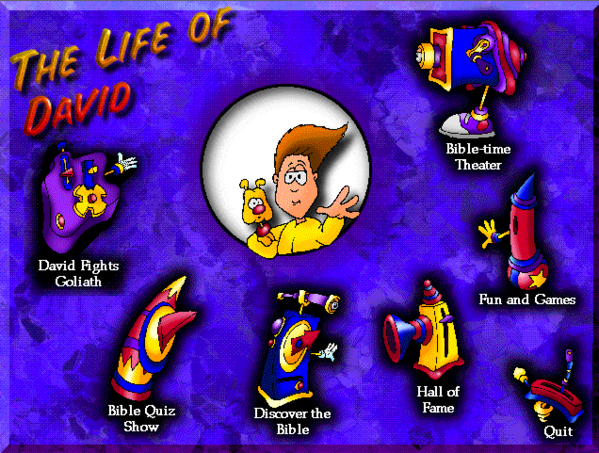
If the curtain opens and closes in the Bible Time Theater without playing the video clip, do the following to install Quicktime version 2.1 on your computer:
- Open the QT211 folder in your program’s installed folder (or in the downloaded file or CD).
- Right click the QT32.exe file and Select “Run as Admin.”
- Select Install and “SKIP” looking for other versions. Continue with the install.
Depending on your system, you may get a Windows prompt asking you if you “really want to install” or it may flag the install as a possible problem. Ignore all that. These files are fine, just older.
If Windows throws up a caution and offers you a “more details” option, click “more details” and select “install anyway.”
TO MAKE THE PROGRAM APPEAR LARGER ON YOUR SCREEN:
Before you start the Interactive Kids software, open your Windows’ Display “Scaling” Option and select 150%. To find the Windows scaling option panel on your computer, type “scaling” in the Windows search box.
GREAT NEWS!
These software programs have become available again thanks to the generosity of their owner. They are now available for free download at https://www.rotation.org/forum/free-bible-software-for-children-and-youth to the members of Rotation.org. -
List of Bible Software for Kids Available for Free Download
Here’s a list of the 18 free PC Bible software for kids that I donated to Rotation.org where you can download them. The links below go to their individual description pages at Rotation.org. Those pages also link to lesson plans written for those programs.

They all work on Windows 7, 8, 10, and 11. 🙂
Attack of the Sunday School Zombies
Cal and Marty’s Scripture Memory Game
Fluffy & God’s Amazing Christmas Adventure
Fall of Jericho Quiz Game and quiz maker
-
Recommended Bible Apps for Children
Over the years I’ve been asked whether there were any good Bible “apps” for tablets, iPads, and smartphones, and for many years the answer was “few and far between.” Even some of the better ones were limited, buggy, and eventually disappeared from the fast-moving “app” stores. But there are some good ones!
(more…) -
Free Sunday School lessons for children
 Sunday Software Support Archive
You must be logged in to post a comment.